



Understanding the Security Issues in Higher Education


At a well-respected University in the Northeast US, an information technology security officer makes sure that the thousands of digital network-connected devices on campus are safe from intrusion. That means all of them.
Safeguarding more than the university’s tech infrastructure, PCs, and smartphones from hacks and breaches is now a crucial part of the security officers’ responsibilities. And with good reason. The past several years, self-described “hacktivists” have managed to hijack University printers across the US, often flooding campus machines with anti-Semitic flyers. These types of events serve as reminders that any machine connected to a campus central network is a potential entry point for cyber-criminals and requires protection.
“If we’ve done our jobs with one set of devices, hackers will just find another way into the network,” stated an IT security officer on one of the impacted campuses. He went on to cite an “arms race” between those who would use printers as points of attack and those who protect them. “It’s like living in a gated community. You can have a gate, but people can hop the fence, or steal the access code, and then you’ve got a problem.”
These days, IT security officers must work to keep close tabs on the thousands of printers across campuses that are tied to digital networks that includes terabytes of sensitive information, to make sure no one “hops the fence.” Campus IT officials not only battle PC security issues, but more and more often printer hackers who have wormed their way through a digital back door to infiltrate university networks. They have exposed valuable student information, unearthed confidential research findings, published answers to exams, and compromised the reputations of institutions — forcing university tech leaders to review their security measures. Printers have been used to transmitthreats and demands for ransom on campus, spread hate-centered propaganda, promote unwanted products or services, and spotlight systemwide weaknesses.
Printers and copiers have become an especially prime target in Education
Invariably — and sadly — those types of outcomes could have been prevented. Either because of a lack of knowledge or a fear of the costs of protecting campus devices, colleges and universities have generally done too little to fill in gaps in their printer and copier security. Organizations of all types often fail to include printers in their overall security plans despite the fact that print-related data loss and breaches can and do occur. And even though security is a top concern, and higher education is one of the most targeted sectors nationwide when it comes to security, some best practice protocols have yet to be consistently adopted.
At a time when printer breaches appear to be growing, universities need to do more to protect themselves from costly hacks — and from becoming the next headline in newspapers across the nation.
Colleges are typically slow to respond but at huge risk
Institutions need to take note of the news reports that document the hacking of university network systems. Even though entry via printer, copier or other endpoints represents only one way a system can be breached, that method has allowed for ample instances in disrupted security. By not improving and properly implementing printer security policies, colleges can incur:
Reputational risk. Printers at Universities on East and West coasts have been hacked, implicating college offices across the country in sending messages that are antithetical to their own institutional values, and that directly contribute to student safety concerns.
National security risk. Colleges conduct research on thousands of federal and state government-sponsored projects. Some of them involve the military, national security threat assessments, and sensitive biological and medical information. The safety of these kinds of information is a huge concern for all Americans.
Financial risk. Breaches can be very costly. Sometimes, simple negligence, such as leaving printers unattended or failing to secure printed documents, can prove disastrous. A data breach could cost an institution not only reputational damage but financial damage, too. Considering the reasonable cost of preventative action, colleges should invest proactively to protect their printers from predators.
Student privacy risk. According to Mike Belcher, Director of EdTech Innovation at HP, student data is a prized commodity among identity thieves. Even so, incidences of hacking via college printers may be underreported. No University wants their reputation sullied by news accounts, though there may be other reasons for them to remain quiet about printer breaches. “One of the reasons we don’t see more reporting is Universities don’t always have funding to pay restitution for the victims of these attacks, and many times don’t know where the copier and printer hacking entry points might be,” says Belcher. “Post-event, they may implement some security solutions, but they’re often not complete and can’t be sure they’re secure.”


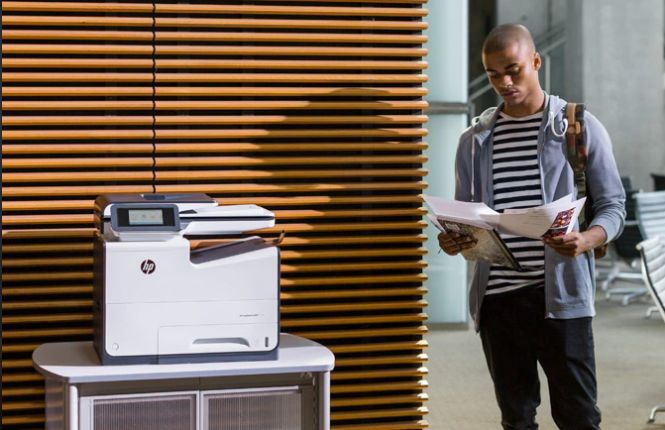
Why are Printers and Copiers Overlooked in Security Plans?
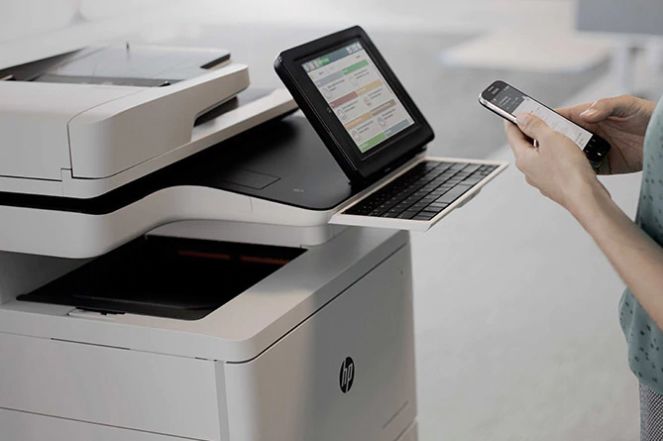
“Today’s Printers, Copiers and Scanners look more like a PC. They have an operating system, storage, memory, wired and Wi-Fi connectivity to the network,” Belcher stated. “But often IT administrators miss putting the necessary security policies and procedures on these devices.” This can be a very expensive mistake. Because the manufacturers default passwords assigned to many print and copier devices have not been changed since they were purchased, hackers can use those common passwords to access printers they locate via the internet, and then data-mine vast networks of sensitive information.
“Colleges underestimate the capabilities — and susceptibilities — of modern printers. This is something we would never allow to happen on our computing and smartphone devices,” said Belcher. Allowing Faculty to hang unsecured and consumer printing devices on the network, not changing default passwords and not updating the device firmware are all potential risk areas.
A Network’s weakest point
IT experts note that it remains too easy for hackers to break into expansive campus tech networks via endpoints — printers, scanners, copiers, and the like. Several “printer exploitation toolkits” exist online to instruct would-be hackers on how to burrow their way into network systems. Other freely available websites lay out in detail where printers and other machines are located, what types of machines they are, and how to get at them.
Matching that desire with vulnerable machines can lead to calamity. “Research shows that the potential is there for universities to be victimized more than other types of industries,” says Loren Roberts, Senior security advisor at HP. “If hackers can easily access these printer exploitation toolkits online, they can do more damage.”
Hackers can use secrets learned on the internet to subvert endpoints. They can trick their operating systems into doing specific jobs and use that advantage to override built-in security systems, leaving printers wide open to subterfuge.
Institutions bear some of the blame too. Hackers have become adept at finding the weakest link in networks because of long-existing security gaps. As universities have strengthened protective measures in their mainframes and PCs, relatively few have focused on printers, copiers and scanners.
“No matter how secure your network is, there is probably a door for hackers to enter,” Belcher warns.
Student data is valuable
Universities are prime hacking targets because the information they manage is lucrative. Records can include birth dates, financial-aid information, Social Security numbers, and even some medical information — key data for identity thieves looking to establish bogus credit in someone else’s name.
Students rarely use safeguards to protect their personal information. “Student data is very vulnerable,” says Belcher. “Students are just getting started with their credit history, and they don’t tend to monitor their credit reports as often as the rest of us do.”
Institutions face unique challenges
University networks can be a challenge to protect. They are designed to be open and available to a wide array of users. Colleges tend to be decentralized and permissive, which can hinder security. And faculty members purchase their own printers and connect them without notifying campus IT officials who could ensure their safety. This can unwittingly leave an entire network exposed to threats.
What’s more, it can be hard for printer and copier vendors to know all the people on campus they need to deal with when it comes to all device security. College IT security professionals monitor the endpoint devices, but the vendor relationship may only be with the procurement officers or other campus officials. Confusion can increase the breach or hack. “IT security professionals understand that default passwords should be eliminated. But has enough happened, campus-wide, to get that information to everyone who has a printer tied into a network? Unfortunately, no,” says Belcher.
Even when they are properly accounted for, printers are often installed with open ports that can leave them exposed to the world outside. Printers and copiers that are several years old lack updated security features and may not be able to provide adequate security.
“Institutions typically hold on to printers and copiers for several years,” says Loren Roberts, Senior security advisor at HP. “They continue to function, but they often don’t have the capabilities to stand up to the kinds of threats we’re seeing today.”
Hackers specifically seek out those vulnerable print and copy devices to wreak havoc.
Key steps to ensure your Print and copier fleet are not at risk
11 Action Steps for Colleges
Fortunately, HP Inc, the maker of printers represented on around half of the nation’s 6,100 college and university campuses, offers a complete array of solutions. During its regular discussions with college officials, HP encourages institutions to take the following steps to shore up printer safety:
1. Do a campus-wide printer and copier security assessment and ensure that all devices are accounted for.
2. Protect your copier and printers’ software, but don’t stop there. Security must be maintained all the way down to the firmware level that controls a printer’s operating system.
3. Give control of your printers over to your campus’s IT professionals — if you haven’t done so already — to ensure accountability and predictability.
4. Make sure that printers and all other endpoints are included in overall security policies and monitored for compliance. If possible, consolidate all PCs and printers in a managed service delivered by a single expert vendor. If a 3rd Party manages your Copier fleet, demand the same security audit and policies are applied.
5. Reduce the attack surface through proper device configuration. Unauthorized users can access a printer through an unsecured USB port, network port, or protocol (such as FTP or Telnet). Ports and protocols that aren’t in use should be disabled, and ones that are still vital should include steps for user authentication.
6. Outfit your devices with encryption measures to protect your data while in transit and at rest on the device.
7. Equip your printers with secure data erasure procedures to protect sensitive information. IT professionals can install auto-erase mechanisms.
8. Install authentication measures to make sure that only authorized users can access your printers.
9. Upgrade security for print jobs. Assign PINs or other user authentication to protect confidential information and reduce the risk of sensitive print jobs falling into the wrong hands.
10. Set up automated monitoring to strengthen compliance and reduce risk.
11. Build in printer fleet management capabilities, which can allow institutions to oversee printers from one office. Institutions can more centrally monitor printer security as well as control overall print costs.




Procure from the leading vendor in Printer and Copier Security
Many campus officials already understand that HP Inc manufactures the world’s most secure printers. 1 The company has built safeguards into its machines, including many of the measures listed above. It also offers security assessment and advisory services and works to educate campus team members on how to avoid printer hacks.
Security features are built into HP devices. The machines are made to be resilient and fend off attempts to infect machines with malware and viruses. In the event of an attack, HP machines will shut themselves down, and then inform campus IT officials. HP printers will then self-heal and recover to a known good state.
“It’s a self-healing process built right into the printer,” says Roberts. “The operating system
is checked upon every startup to make sure it hasn’t been tampered with since its last authorized use,” he adds. “We tell people they’re better off spending a little money now instead of a lot later,” Roberts says.
The company also offers continuous printer monitoring via the cloud to fix problems remotely and provides service on a schedule. Encryption and erasure services are built into many HP printers to protect sensitive data, as are authentication measures that allow only authorized individuals to use the machines.
Colleges can also benefit from HP’s diagnostic services. Arisk-assessment program for colleges focuses solely on their printers, using a sample of 20 Print devices to determine the security health of the device’s campus wide. If problems are found, HP offers solutions (for a fee) that are customized to the institution’s needs and encourages institutions to follow through.
“Implementing Printer security is a core message we deliver to colleges,” Belcher says. “It’s going to become more important as artificial intelligence develops, and hackers learn to use it. Within three years, AI will have to be part of everything we devise to counter them.”
The future of hacking will indeed provide new challenges to universities. They can start to upgrade their protection schemes now by availing themselves of forward- looking measures.
“Every printer, copier and PC decision is a security decision — that’s how HP looks at it,” says Belcher. “Universities need to see the benefits vs. trade-offs, for the sake of their network’s safety.”
1. HP’s most advanced embedded security features are available on HP Enterprise and HP Managed devices with HP FutureSmart firmware 4.5 or above. Claim based on HP review of 2019 published features of competitive in-class printers. Only HP offers a combination of security features to automatically detect, stop, and recover from attacks with a self-healing reboot, in alignment with NIST SP 800-193 guidelines for device cyber resiliency. For a list of compatible products, visit: hp.com/go/PrintersThatProtect. For more information, visit: hp.com/go/PrinterSecurityClaims.
 Built with Shorthand